 Boris Tane
 How to cut GitHub Actions CI costs with RunsOn
Explore with AI
RunsOn leaves GitHub Actions in charge of your workflows and runs each job on a fresh EC2 instance in your own AWS account, mostly on Spot, for a flat yearly licence from €300 / $350. Pydantic announced on 16 October 2026 that Logfire's CI moved to RunsOn on 1 September, and the monthly bill fell from $18,200 in August to $5,700 in September while runner minutes went up. To do the same, install the stack, connect the GitHub App, change each job's runs-on label, turn on the S3 cache, and keep merge-queue, release and deploy jobs on On-Demand.
On this page
- What RunsOn is: GitHub Actions jobs on EC2 in your own account
- What Pydantic changed, and why the bill forced it
- Moving your first jobs to RunsOn, step by step
- Spot where retries are cheap, On-Demand where they aren’t
- Right-sizing runners against the critical path
- Keeping the cache next to the compute
- What bites teams after the switch
- Checking the bill after the first month
- Common questions
RunsOn cuts GitHub Actions costs by moving where jobs run. It doesn’t change how they are orchestrated. GitHub still schedules every workflow. RunsOn starts a new EC2 instance for each job in your AWS account, usually on Spot, and terminates it when the job ends. You pay AWS for those minutes at cost, plus a flat yearly licence. For most teams the migration is a different runs-on: label and one setup step per job.
The case study behind this guide is new. On 16 October 2026 Pydantic published “Pydantic runs on RunsOn”, explaining how Logfire’s CI got off a bill that was growing every month. The rest of this page covers what RunsOn is, what Pydantic changed, how to repeat it step by step, and the rules and limits that RunsOn’s docs and Pydantic’s write-up set out.
What RunsOn is: GitHub Actions jobs on EC2 in your own account
RunsOn is software you install in your AWS account that gives GitHub Actions self-hosted runners, one fresh EC2 instance per job. GitHub-hosted runners bill by the minute once you pass your plan’s included minutes, and hosted runner vendors usually charge per minute too. RunsOn works differently. According to its docs:
- Each job gets a fresh EC2 instance in your account. The instance is destroyed when the job ends, so nothing is shared or kept between jobs. Code, secrets, caches and logs stay in your AWS account.
- The label describes the machine. A label such as
runs-on=${{ github.run_id }}/family=m8+r8/cpu=4asks for any 8th-generation general-purpose or memory-optimised instance with 4 vCPUs, whichever has Spot capacity at launch. - The images are ported from GitHub’s own templates. Actions, cache steps and secrets keep working.
- The control plane runs in your account on Fargate. It costs a few dollars a month. Only a licence check and a per-launch telemetry event go back to runs-on.com, and neither one carries repository contents or secrets.
There are two ways to run it. With Flex, GitHub sends each job to a webhook in your account and the job’s label sets the instance shape. RunsOn reports a median wait of 17 to 24 seconds from queued to running. With Fleet, platform teams define runner fleets in Terraform and RunsOn pulls jobs from GitHub, so nothing listens for inbound traffic. The steps below use Flex, because that is where per-job labels apply.
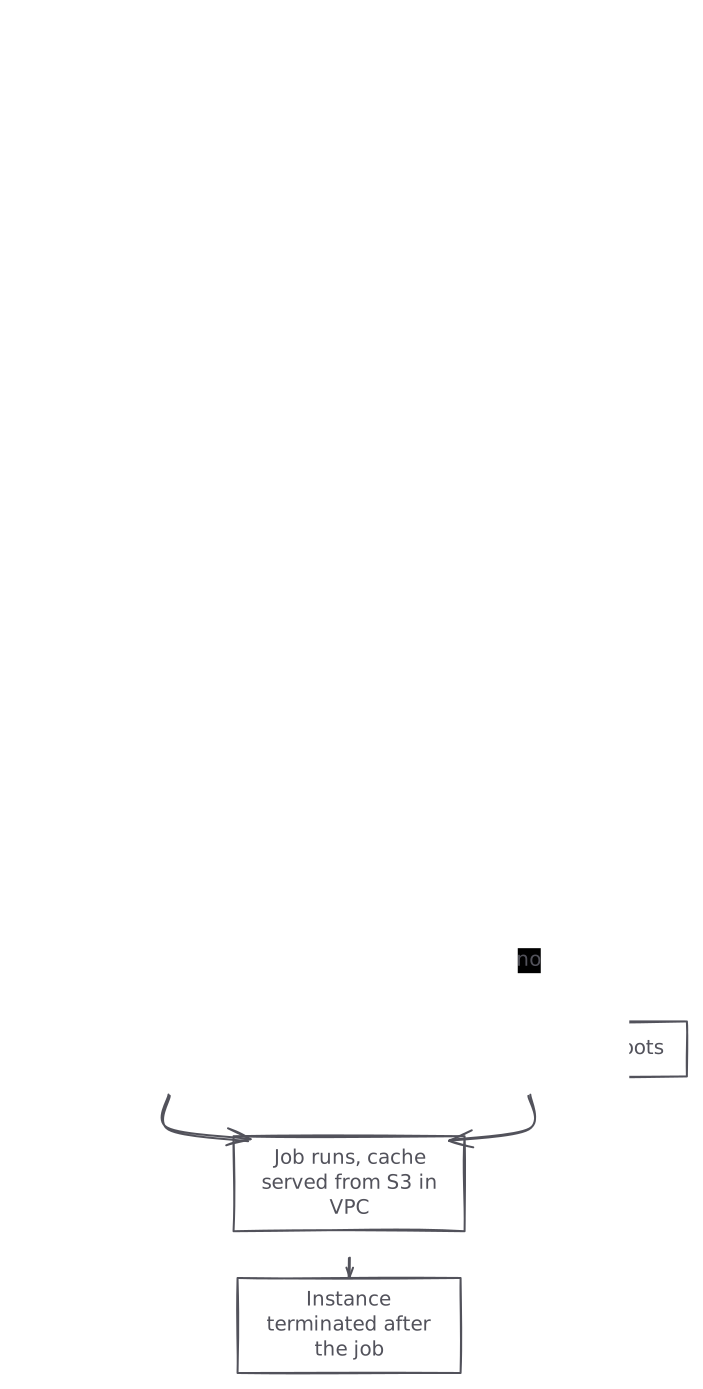
graph TB A[Job queued in GitHub Actions] --> B[Webhook reaches RunsOn in your AWS] B --> C[Job label picks the instance shape] C --> D{Spot capacity available?} D -->|yes| E[Fresh Spot instance boots] D -->|no| F[On-demand instance boots] E --> G[Job runs, cache served from S3 in VPC] F --> G G --> H[Instance terminated after the job]
What you still own after the switch
RunsOn runs the runner lifecycle. Pydantic says they still manage their AWS account, runner catalogue, capacity strategy, storage, cache policy, quotas and telemetry. Plan for someone on the team to own those. You need admin rights in an AWS account to create the stack, and someone who can install a GitHub App on the organisation, usually an owner.
What it costs
RunsOn’s homepage gives the licence price by the number of runners launched per month (one runner per job), never by the minute:
- €300 / $350 a year under 50k runners a month
- €900 / $1,050 under 200k
- €1,800 / $2,100 under 500k
- €3,600 / $4,200 from 500k
There is a 15-day trial, and non-commercial use is free. EC2, EBS and S3 go on your AWS bill at cost, so your existing AWS credits and commitments apply. Pydantic worked out that RunsOn pays for itself at 22 jobs per day.
What Pydantic changed, and why the bill forced it
Logfire is built in the pydantic/platform repository. Until 1 September its CI ran on a mix of GitHub Actions, Depot and Ubicloud. As the team adopted AI coding tools, pull request volume jumped. By 30 August they had merged 2,032 pull requests that month. A team of the same size merged 365 over the same 30 days in 2025. The main CI workflow ran 4,194 times in May, 6,669 in June, 11,919 in July and 20,659 through 30 August.
The bill followed the volume: $3,990 in June, $10,778 in July and $18,200 in August. September was the first month on RunsOn. Total CI cost was $5,700, and that figure includes the RunsOn licence and all AWS costs: compute, EBS, S3 cache storage and data transfer. Runner minutes still rose over the same period, from 1,230,264 to 1,617,654.
Total CI cost
Total runner minutes
Monthly CI cost and runner minutes from Pydantic's announcement
| Month | Total CI cost (USD) | Total runner minutes |
|---|---|---|
| April 2026 | 3,813 | not published |
| May 2026 | 3,665 | not published |
| June 2026 | 3,990 | not published |
| July 2026 | 10,778 | not published |
| August 2026 | 18,200 | 1,230,264 |
| September 2026 | 5,700 | 1,617,654 |
The lesson applies beyond Pydantic. If agents and bots open more pull requests, CI minutes grow with them. A per-minute price means the bill grows at the same rate. Pydantic chose to change the price of a minute and left the agents alone.
Moving your first jobs to RunsOn, step by step
- Measure what you run now. Count jobs per day and runner minutes per month for your main workflows, and note which jobs are slow or expensive. RunsOn’s FAQ says most teams move those first.
- Deploy the stack. One CloudFormation stack creates its own VPC, the cache bucket, IAM roles and the control plane in about ten minutes. To use an existing VPC, GitHub Enterprise Server or IAM permission boundaries, use the Terraform / OpenTofu module.
- Connect GitHub. Install the private GitHub App from the stack’s outputs.
- Change one job’s label and add the setup action. The label applies per job, so anything still on
ubuntu-latestkeeps running on GitHub.
Before:
jobs:
  test:
    runs-on: ubuntu-latest
    steps:
      - uses: actions/checkout@v7
      - run: make test
After:
jobs:
  test:
    runs-on: runs-on=${{ github.run_id }}/runner=2cpu-linux-arm64/extras=s3-cache
    steps:
      - uses: runs-on/action@v2
      - uses: actions/checkout@v7
      - uses: actions/cache@v5
        with:
          path: ~/.npm
          key: npm-${{ runner.os }}-${{ hashFiles('package-lock.json') }}
      - run: make test
runs-on/action@v2 does nothing on a GitHub-hosted runner, so you can keep it in a workflow that runs on both.
- Pin jobs that must not be interrupted to On-Demand. Add
spot=falseto deploy and release jobs before you move them:
  deploy:
runs-on: runs-on=${{ github.run_id }}/runner=2cpu-linux-x64/spot=false- Test interruption handling before you rely on it. The RunsOn CLI can interrupt a running Spot job:
AWS_PROFILE=runs-on-admin roc interrupt "$JOB_URL" --wait- Move container builds last. Pydantic found that ordinary jobs mostly needed only the new label and the setup action. Container builds needed extra cache and registry changes, which are covered below.
Spot where retries are cheap, On-Demand where they aren’t
RunsOn uses Spot by default with the price-capacity-optimized strategy. When there’s no Spot capacity, Flex launches On-Demand, which adds 2 to 3 seconds. The docs say AWS doesn’t bill a Spot instance interrupted within its first hour. That makes Spot a safe default for most CI work under an hour that has no critical side effects.
Pydantic didn’t put every job on Spot. Their placement rules make a good starting policy:

graph TB A[A CI job to place] --> B{Merge queue, release or deploy?} B -->|yes| C[On-Demand with spot=false] B -->|no| D{Expensive to restart?} D -->|yes| C D -->|no| E{Long and interruption sensitive?} E -->|yes| F[Spot with spot=co] E -->|no| G[Spot with spot=pco, the default] style C fill:#d1fae5,stroke:#6ee7b7,color:#065f46
The strategies map to labels: spot=co is capacity-optimised, which picks pools with the most spare capacity to cut interruptions. spot=pco balances price against capacity. spot=lp chases the lowest price and accepts more interruptions.
Two more safety nets matter at scale:
- The Spot circuit breaker. After a set number of interruptions within a time window, it sends new launches to On-Demand for a recovery period. It is configured as
COUNT/WINDOW_MINUTES/RECOVERY_MINUTES, and Fleet’s default is2/15/30. Pydantic uses a circuit breaker and spreads its deployment across three availability zones. - Automatic reruns. With the default
retry=when-interrupted, RunsOn starts GitHub’s rerun-failed-jobs flow at most twice, for three attempts in total. GitHub reruns every failed job and the jobs that depend on it.
Keeping Spot interruptions out of the merge queue
An interrupted job fails, and a failed required check ejects the pull request from the merge queue. RunsOn’s runs-on/spot-retry-gate reusable workflow fixes this. Require only merge-gate / pass in the branch ruleset, and don’t make the individual Spot jobs required checks:
on:
  pull_request:
  merge_group:

jobs:
  test:
    runs-on: runs-on=${{ github.run_id }}/runner=2cpu-linux-x64
    steps:
      - uses: actions/checkout@v7
      - run: make test

  merge-gate:
    if: ${{ always() }}
    needs: [test]
    permissions:
      actions: read
      checks: read
    uses: runs-on/spot-retry-gate/.github/workflows/merge-queue.yml@v1
    with:
      job_results: ${{ toJSON(needs) }}
Set the merge queue’s status-check timeout long enough to cover the retry. Don’t cancel the workflow while the gate is waiting, because RunsOn waits for the failed attempt to finish before it asks for the rerun. The gate supports GitHub.com but not GitHub Enterprise Server.
Right-sizing runners against the critical path
Pydantic’s rule: the cheapest runner is the one that meets the job’s latency target at the lowest total cost. That is often not the smallest machine. Their catalogue runs from one-core ARM runners to 16-core image builders. Most Python, TypeScript, agentic and control-plane jobs run on Graviton. They keep x64 for container builds and for tests that need it.
The label options that matter most:
- Give Spot several families to choose from.
family=c8+m8lets AWS pick from more capacity pools. Pydantic puts several EC2 families in each preset for this reason. If you name a single instance type, the runner can fail to launch when AWS has no capacity for it. - Use vCPU ranges where exact counts don’t matter.
cpu=2+8means at least 2 vCPUs and up to 8, which widens the Spot pool. - Put idle-heavy jobs on burstable instances. For deploy polling, notifications and approval gates, the docs suggest
family=t8ion x64 orfamily=t4gon arm64. At8i.microcosts about a tenth of anm8a.large. - Match the image to the architecture. The default image is
ubuntu24-full-x64. If you ask for an arm64 family without an arm64 runner preset, also setimage=ubuntu24-full-arm64.
To reuse shapes across repositories, define them once in .github/runs-on.yml and reference them with runner=:
runners:
  cheap:
    ram: [2, 4, 8]
    family: ["t8i", "t4g"]
    image: ubuntu24-full-x64
  fast:
    cpu: 32
    family: ["c8a", "m8a"]
    spot: false
    image: ubuntu24-full-x64
Keeping the cache next to the compute
Pydantic’s third rule: keep cache close to compute, and keep it only while it is likely to be reused. RunsOn gives you three tools for this.
- Magic Cache. Add
extras=s3-cacheandruns-on/action@v2. Your existingactions/cacheand language setup cache steps then read and write an S3 bucket in your VPC, with no other changes. RunsOn sets no size cap. Entries expire after a fixed retention window, 10 days by default, and cache hits don’t extend it. GitHub’s own docs give a default cache limit of 10 GB per repository. - Sticky EBS disks.
sticky=build-cache:30gbattaches a persistent cache disk that is restored from its latest snapshot before the job. Pydantic uses sticky disks to keep expensive BuildKit state. - Docker layers in ECR. Turn on the ephemeral registry in the stack, add
extras=ecr-cache, and point Buildx attype=registry. Layers stay in your account.
Each job’s Complete runner step prints a cost estimate and a Magic Cache summary: lookups, hit rate, downloads and saves. Check the hit rate after the first week. A low rate usually means your keys change too often for the retention window.
What bites teams after the switch
- Jobs steal each other’s runners. With the array form of
runs-on:, a job asking for a subset of another job’s labels can take its runner. Fix: use the single-string form joined with/, which RunsOn recommends. - Matrix entries swap runners.
github.run_idis the same for every matrix entry. Fix: add the matrix value to the prefix, for exampleruns-on=${{ github.run_id }}-${{ matrix.function }}/cpu=12. - Spot quota runs out. When a Spot quota is exhausted, Flex launches the affected families On-Demand for the next 5 minutes and sends an email alert. Fix: request an EC2 Spot quota increase before your peak week.
- Container jobs lose the cache. Magic Cache works in
container:jobs only if the job can reach the instance. Fix: don’t setACTIONS_*variables in the job’senv:, and don’t run the container with--network none. - The cache is shared across repositories by default. Cache isolation is opt-in (
EnableCacheIsolation). Direct S3 clients such as sccache and BuildKittype=s3keep stack-wide access either way. Fix: run a separate stack for public or untrusted repositories. - Config changes don’t apply on a branch. On public repositories, RunsOn reads
.github/runs-on.ymlonly from the default branch. Fix: merge config changes before you test them. - macOS jobs have nowhere to go. RunsOn’s FAQ says macOS jobs stay where they are. The two run side by side in the same workflow.
Checking the bill after the first month
Compare like with like. Pydantic’s $5,700 covers everything: licence, compute, EBS, S3 cache storage and data transfer. Your comparison against last month’s GitHub or vendor invoice should include the same lines. Watch runner minutes too. If minutes keep climbing while cost falls, as they did for Logfire, the move is doing its job. If cost is flat, look at how many jobs are falling back to On-Demand and at your cache hit rate first.
Leaving is the label change in reverse. Then delete the stack, empty and delete its two S3 buckets (cache and access logs), and remove the GitHub App.
Running on AWS? See how Polylane monitors AWS in production.
Common questions.
How much did Pydantic save by moving to RunsOn?
Logfire's total CI cost fell from $18,200 in August 2026 to $5,700 in September 2026, the first month on RunsOn. The September figure includes the RunsOn licence and all AWS costs: compute, EBS, S3 cache storage and data transfer. Runner minutes rose from 1,230,264 to 1,617,654 over the same months.
How much does a RunsOn licence cost?
The licence is priced by the number of runners launched per month, one per job: €300 / $350 a year under 50k, €900 / $1,050 under 200k, €1,800 / $2,100 under 500k and €3,600 / $4,200 from 500k. There is a 15-day trial and free non-commercial use. EC2, EBS and S3 are billed by AWS at cost.
At what volume does RunsOn pay for itself?
Pydantic puts the break-even at 22 jobs per day, and says they were well past it. Count your daily jobs across all workflows before you decide. Below that volume, the licence and the work of running the stack may cost more than you save.
Do I need to rewrite my GitHub Actions workflows?
Usually not. Ordinary jobs need a new runs-on label and a runs-on/action@v2 step, because the runner images are ported from GitHub's templates. Pydantic found that container builds needed extra cache and registry changes, and they use sticky EBS disks to keep BuildKit state.
What happens when a Spot instance is interrupted mid-job?
The job fails, and with the default retry=when-interrupted RunsOn starts GitHub's rerun-failed-jobs flow up to twice, for three attempts in total. Recovery capacity is launched On-Demand on a best-effort basis. To stop interruptions from ejecting pull requests from a merge queue, use the runs-on/spot-retry-gate workflow and require only merge-gate / pass.
Which jobs should stay on On-Demand instances?
Pydantic keeps merge-queue validation, release publishing, deployments and jobs with expensive restarts on On-Demand. RunsOn's docs add migrations, release signing and long jobs with poor checkpointing. In Flex, add spot=false to the job's label.
How long does RunsOn take to install?
RunsOn says one CloudFormation stack takes about ten minutes and creates its own VPC, cache bucket, IAM roles and Fargate control plane. You then install a private GitHub App from the stack outputs, which usually needs an organisation owner. Use the Terraform or OpenTofu module for an existing VPC or GitHub Enterprise Server.
Does RunsOn support macOS runners?
RunsOn's homepage FAQ says macOS jobs stay where they are, because RunsOn runs Linux and Windows on EC2. You can keep macOS jobs on GitHub-hosted runners in the same workflow. The label applies per job, so the two run side by side.
Sources (6)
Boris Tane is the founder of Polylane. He previously founded Baselime, observability for the future of the cloud, which Cloudflare acquired. At Cloudflare he built and led the Workers observability team.
Related
- What is change intelligence? A production safety guide What is change intelligence? Learn how deploys, config, flags, infrastructure and dependency changes connect to incidents, using tools you already have.
- How to correlate incidents with deploys using evidence Learn how to correlate incidents with deploys using release markers, metrics, logs and verified GitHub, Vercel, Cloudflare and Kubernetes change events.
- How to keep AI coding agents from breaking production Stop AI coding agents breaking production: scoped credentials, branch protection they can't bypass, required checks that block, and production-aware review.
- How to deploy Vite apps to Cloudflare with Void Void, announced by Cloudflare on 15 October 2026, deploys Vite apps to Workers in one command. Setup steps, secrets, migrations, CI and the gotchas.
- How to attach Vercel Sandbox to a Secure Compute network Vercel Sandbox now supports Secure Compute. Attach a sandbox to your network for static egress IPs and VPC peering, with steps, costs and gotchas.