 Boris Tane
 Vercel AI Gateway session affinity logs: reading the Sessions view
Explore with AI
On 17 October 2026 Vercel added a Sessions view to the AI Gateway logs. It groups requests into conversations and shows which provider served each turn, along with cache hit rate, cost and the client behind the session (Claude Code, Codex, Cursor and others). Session affinity is already on for text and chat requests, and you get sessions you can trust by sending the same sessionId in providerOptions.gateway, or the same x-session-id header, on every request in a conversation.
On this page
- What session affinity does to your requests
- What the Sessions view adds to the request logs
- How AI Gateway decides which requests form a session
- Sending a session ID, step by step
- Logging the affinity outcome from your own code
- Reading a session with a poor cache hit rate
- Gotchas the docs and announcement call out
- A short adoption checklist
- Common questions
Vercel announced on 17 October 2026 that the AI Gateway logs now have a Sessions view. It groups requests into sessions and shows how session affinity routed each one. Each row is one conversation, with the coding agent or app that ran it (for example Claude Code, Codex or Cursor), its cost, its models and providers, and how much of its input came from cache across all turns. Open a session to see its cache hit rate, its duration and its path. The path lists every turn with its model and timing, and names the provider serving the session plus any providers that served it earlier.
You don’t need to change any code to see sessions, because session affinity is on by default for text and chat requests. What you see depends on how AI Gateway worked out which requests belong together. If you send a session ID you get accurate groups. If you don’t, AI Gateway groups requests by a fingerprint of how the conversation opens, and two unrelated runs can end up in one group. This guide covers what the view shows, how sessions get built, how to send IDs, and how to read a session that isn’t caching well.
What session affinity does to your requests
A provider’s prompt cache lives on the provider account that served the request. If the next turn of the conversation goes to a different provider, that cache is cold and you pay full price for the whole prompt again. Session affinity keeps a conversation on the provider that already holds its cache.
Vercel’s docs describe four steps:
- Identify the session. AI Gateway reads a session ID from the request. If there isn’t one, it fingerprints the conversation.
- Pin the provider. When a provider accepts a request, AI Gateway saves that provider as the session’s pin for the model that served it. For session IDs you send, and for Claude Code sessions, the pin also names the exact credential, because each account keeps its own cache.
- Promote the pin. On the next request in the session, AI Gateway moves the pinned provider to the front of the providers it already planned to try. It never adds a provider that your routing settings exclude.
- Renew or expire. Each successful request renews the pin. The pin expires shortly before the provider’s cache does.
If the pinned provider fails, AI Gateway tries the next provider as normal. A request that fails after the provider accepted it removes the pin, so the next request can choose again. Session affinity only covers text and chat. Embeddings, images and realtime sessions have no prompt cache to keep warm, so they never get a pin.
AI Gateway also forwards the x-session-id and x-session-affinity headers to the provider it picks. Providers that use those headers for their own cache routing can send the request to the same inference cluster.
What the Sessions view adds to the request logs
Before this release, the AI Gateway Logs page listed one row per request or async job: time, status, model, provider, usage, cost, duration and authentication. Clicking a row showed a Routing card for each provider attempt. That’s good for one request. It doesn’t tell you whether a long agent run stayed on one provider or bounced between providers and paid for a cold cache each time.
The Sessions view rolls those rows up by conversation:
- Session row: the client (coding agent or app), cost, models, providers, and the share of input read from cache across every turn.
- Session detail: cache hit rate, duration and the path. The path shows each turn’s model and timing, plus the current provider and any earlier ones.
- Filters: turns, client, model, provider, authentication and cost.
The question you’d ask of a session is simple. A session that stays on one provider reads more of each prompt from cache. If the path lists several providers, every switch probably meant a cold cache. That’s the thing to explain.
How AI Gateway decides which requests form a session
AI Gateway checks these sources in order and uses the first one it finds:
sessionIdprovider option, set inproviderOptions.gateway.sessionId. On Chat Completions, OpenAI Responses and Anthropic Messages, a top-levelsession_idbody field sets the same option. If both are present, the provider option wins.x-session-idheader.x-session-affinityheader, which behaves the same asx-session-id.prompt_cache_key, the OpenAI request field.x-claude-code-session-idheader, which Claude Code sends on its own.- A conversation fingerprint that AI Gateway works out from the request.
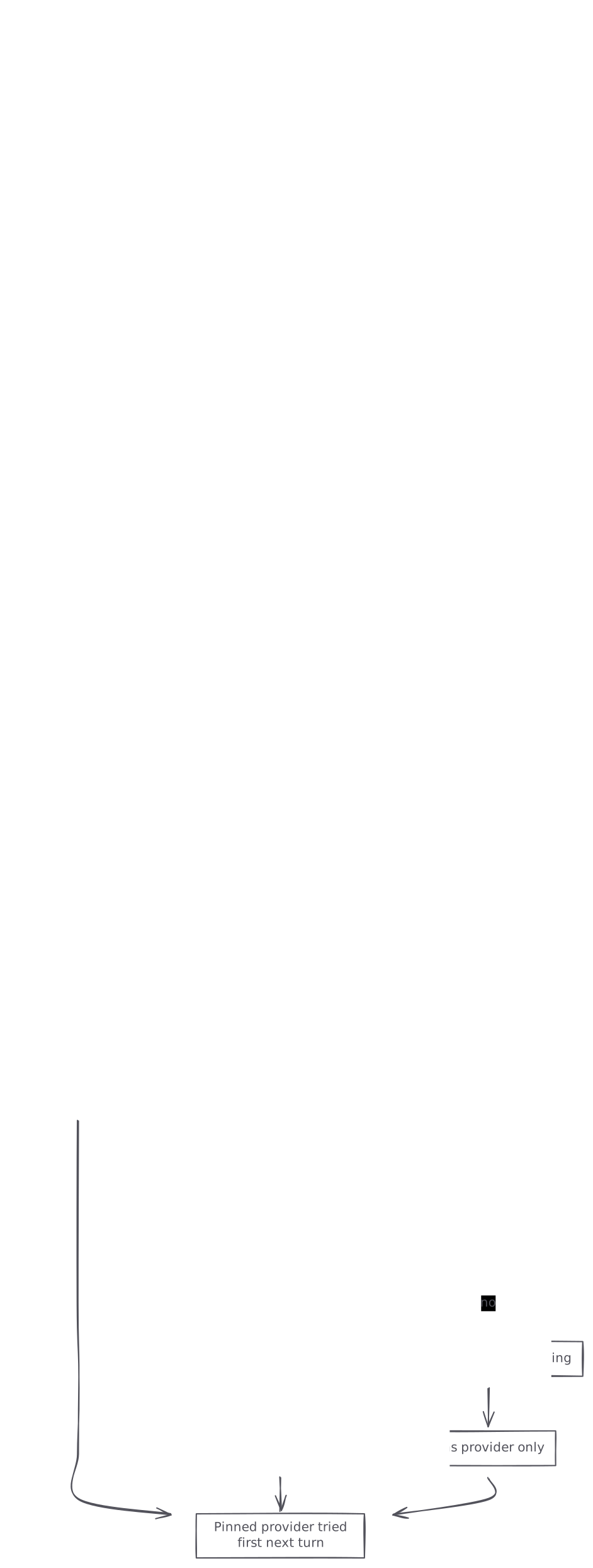
graph TB A[Text or chat request arrives] --> B{sessionId option set?} B -->|yes| E[Explicit session, pins credential] B -->|no| C{x-session-id or x-session-affinity set?} C -->|yes| E C -->|no| D{Claude Code session header?} D -->|yes| F[Agent session, pins credential] D -->|no| G[Fingerprint of the opening] G --> H[Pins provider only] E --> I[Pinned provider tried first next turn] F --> I H --> I
prompt_cache_key gets special handling. Many callers share one key across users, for example one key per prompt template. So AI Gateway treats it as a label for a shared prefix, and it doesn’t treat it as one conversation. It pins only the provider, never the credential, so shared traffic doesn’t pile onto a single account.
What a fingerprinted session is
When there’s no session ID, AI Gateway hashes three parts of the request with SHA-256, together with your team ID:
- the first system or developer message
- the first message that isn’t a system or developer message
- the set of tools, including each tool’s name, description and schema
It uses at most the first 4,096 characters of each message, and only text. Later turns, tool results and new user messages don’t change the hash, so a conversation stays in one session. Tool order doesn’t matter either. Because the team ID is part of the hash, two teams running the same agent never share a session ID. AI Gateway stores only the hash.
These sessions show up in the logs as fingerprinted sessions. A fingerprinted session pins only the provider, never the credential, because unrelated users can share the same opening. AI Gateway pins a fingerprinted session only for models that support prompt caching, and only when the prompt is big enough to cache.
Sending a session ID, step by step
Vercel’s docs say a session ID gives the most reliable results. Here is how to add one.
- Choose the unit of work. One ID covers one conversation, one agent run or one workflow. Use an opaque value of up to 256 characters. AI Gateway hashes longer values. Keep personal data out of it, and don’t reuse one ID across unrelated work.
- Create the ID once and pass it to every turn. Store it next to the conversation record so retries and resumed runs send the same value.
- Send it with the AI SDK through
providerOptions.gateway:
import { streamText } from 'ai';

const result = streamText({
  model: 'anthropic/claude-sonnet-5',
  prompt: 'Hello world',
  providerOptions: {
    gateway: {
      sessionId: 'sess_8f3KQ2vXr9mT',
    },
  },
});- Or send it as a header through the OpenAI-compatible, Anthropic-compatible or OpenResponses formats. AI Gateway reads
x-session-idandx-session-affinityon all three:
import OpenAI from 'openai';

const openai = new OpenAI({
  apiKey: process.env.AI_GATEWAY_API_KEY,
  baseURL: 'https://ai-gateway.vercel.sh/v1',
  defaultHeaders: {
    'x-session-id': 'sess_8f3KQ2vXr9mT',
  },
});

const response = await openai.chat.completions.create({
  model: 'deepseek/deepseek-v4-flash-0731',
  messages: [{ role: 'user', content: 'Hello world' }],
});
A default client header only works when one client serves one conversation. If a long-lived client handles many conversations, set the header per request.
- Use the same ID across models. A prompt cache belongs to one model on one provider, so AI Gateway keeps one pin per model in a session, for up to eight models. If an agent switches from
anthropic/claude-opus-5toanthropic/claude-sonnet-5and back before the first pin expires, the request goes back to the provider that still holds the Opus cache. Model fallbacks follow the same rule. Using one ID for every model in a workflow keeps all those pins in one session. - Check it in the logs. Open the AI Gateway Logs tab, at team scope (
/[team]/~/ai-gateway/logs) or project scope (/[team]/[project]/ai-gateway/logs), and switch to sessions. Your conversation should appear as one session with the right turn count and should no longer be marked as fingerprinted.
Claude Code needs none of this. It sends x-claude-code-session-id itself, and those sessions pin the credential just like IDs you send.
Logging the affinity outcome from your own code
Every response says what session affinity did. In the AI SDK the data is at providerMetadata.gateway.routing. On Chat Completions, OpenAI Responses and Anthropic Messages it’s at provider_metadata.gateway.routing. The fields are:
clientSessionId: the session ID AI Gateway usedclientSessionIdSource:explicitfor IDs you send (includingprompt_cache_key),agentfor the Claude Code header,fingerprintfor derived IDsaffinity.outcome: what affinity did on this requestaffinity.pinnedProvider: the provider the pin namedaffinity.displacedProvider: the provider that would have gone first without the pin, present only when the pin moved a different provider to the front
{
  "provider_metadata": {
    "gateway": {
      "routing": {
        "clientSessionId": "sess_8f3KQ2vXr9mT",
        "clientSessionIdSource": "explicit",
        "affinity": {
          "outcome": "promoted",
          "pinnedProvider": "anthropic",
          "displacedProvider": "bedrock"
        }
      }
    }
  }
}
The dashboard keeps routing attempt details for 30 days, and the Logs list and filter query isn’t in the public REST API. So if you want per-turn outcomes next to your own traces, log them yourself. Having built and led the Workers observability team at Cloudflare, my advice is one structured line per model call with the session ID on it. It’s the cheapest way to join a slow user request to the session that served it.
import { generateText } from 'ai';

const { text, providerMetadata } = await generateText({
  model: 'anthropic/claude-sonnet-5',
  prompt,
  providerOptions: { gateway: { sessionId } },
});

const routing = (providerMetadata?.gateway as any)?.routing;
console.log(JSON.stringify({
  step: 'llm-call',
  session: routing?.clientSessionId,
  source: routing?.clientSessionIdSource,
  outcome: routing?.affinity?.outcome,
  pinned: routing?.affinity?.pinnedProvider,
  displaced: routing?.affinity?.displacedProvider,
}));
The docs list these outcome values and say more may be added, so treat any value you don’t know as no change:
promoted: the pinned provider was moved ahead of the one that would have gone firstconfirmed: the pinned provider was already firstno_pin: no pin exists for this model yet (normal on a first turn)pin_expired: there was a pin but it expired, so the provider’s cache is likely coldskipped_not_in_plan: your routing settings removed the pinned providerskipped_health_down: the pinned provider is unhealthyskipped_below_min_prefix: the prompt is below the minimum size that can be cachednot_cache_capable: AI Gateway identified the session itself and the model doesn’t support prompt cachingskipped_mode_off: you setsessionAffinity: false
Reading a session with a poor cache hit rate
When a session’s cache hit rate is lower than you expected, open its path and work down this tree.

graph TB A[Session shows low cache hit rate] --> B{Path lists more than one provider?} B -->|yes| C{Outcome is pin_expired?} C -->|yes| D[Turn gap outlived the pin lifetime] C -->|no| E[Check health_down or not_in_plan] B -->|no| F{Fingerprinted session?} F -->|yes| G[Send a sessionId on every request] F -->|no| H[Check model switches and prompt size] style A fill:#fee2e2,stroke:#fca5a5,color:#7f1d1d style G fill:#d1fae5,stroke:#6ee7b7,color:#065f46
The gap between turns outlived the pin
A pin lasts as long as the provider keeps its cache. AI Gateway starts from a default lifetime for each provider and subtracts 15 seconds:
- OpenAI and Azure: 10 minutes
- DeepSeek: 1 hour
- Every other provider, including Anthropic, Amazon Bedrock, Google, Google Vertex AI, Alibaba and Moonshot AI: 5 minutes
An agent that waits on a person or on a long tool call for longer than that will find the pin gone on its next turn. For Anthropic models you can ask for a 1-hour cache with cacheControl.ttl: '1h' in the AI SDK, cache_control.ttl: '1h' on Anthropic Messages, or cache_ttl: '1h' with caching: 'auto'. For OpenAI and Azure, use promptCacheRetention: '24h' in the AI SDK or prompt_cache_retention: '24h' on OpenAI APIs. The pin follows the longer cache, but it never lasts more than 1 hour.
The pinned provider was skipped
Session affinity runs after your filters. only and compliance settings such as zero data retention apply first, and a pinned provider they remove is ignored (skipped_not_in_plan). AI Gateway never promotes a provider it treats as down (skipped_health_down). With BYOK, a pin only reorders inside its own group. It never moves a system credential ahead of your BYOK credentials, and never the other way round.
The session was fingerprinted
Fingerprinted sessions pin only the provider, and only when the model supports caching and the prompt is large enough. Sending a session ID replaces the fingerprint. There’s no separate setting for it.
The model changed or the prompt was small
AI Gateway can’t move a cache from one model to another. The first request to a model you haven’t used yet in the session writes a new cache at the cache-write rate. Providers also only cache prompts above a minimum size. For sessions AI Gateway identifies itself (Claude Code header or fingerprint), it skips pinning below that minimum. It follows each provider’s documented minimum, for example 1,024 tokens for most OpenAI and Google models, and uses 256 tokens when a model has no documented minimum. Anthropic minimums vary by model. Explicit session IDs, including prompt_cache_key, are pinned at any prompt size.
Gotchas the docs and announcement call out
- Single-turn sessions are hidden by default. The Sessions view has a minimum turns filter. Clear it to see one-shot calls. Otherwise a service that makes only single calls looks like it has no traffic.
- Templated openings merge unrelated runs. Conversations that open with the same system prompt, tools and first user message share a fingerprint. A script that starts every run with a fixed message like “Begin the task.” ends up as one huge session with a misleading cost and turn count. Send a session ID for batch and scripted work.
- A shared ID merges unrelated work. Reusing one
sessionIdacross users or jobs causes the same problem as a fingerprint collision, and it also pins every one of them to one credential. Create one ID per conversation. ordergets overridden. The pinned provider goes ahead of yourorderand ahead of thesortwinner. If you need your order kept exactly, setsessionAffinity: false:
import { generateText } from 'ai';

const { text } = await generateText({
  model: 'anthropic/claude-sonnet-5',
  prompt: 'Hello world',
  providerOptions: {
    gateway: {
      sessionAffinity: false,
    },
  },
});
The request can still carry a session ID, but AI Gateway won’t write pins or reorder providers, and the response reports skipped_mode_off.
- Routing details expire. Routing attempt details are kept for 30 days. The date picker goes back 36 days, so requests from the last 6 days of that window show up without details.
- Fresh traffic lags. Requests take about 90 seconds to fully ingest, so a session you just ran may not be complete yet.
- Permissions. Viewing logs needs read access to your team’s usage. Roles without it see a permission message.
A short adoption checklist
- Open the Logs tab, switch to sessions, and clear the minimum turns filter once to see everything.
- Sort out which sessions are fingerprinted. Each one is a caller that should send an ID.
- Add
sessionId(AI SDK) orx-session-id(compatible APIs) to those callers, with one ID per conversation. - Log
clientSessionIdandaffinity.outcomewith your own request logs. - Look at the sessions with the highest cost and the lowest cache hit rate. Use the path and the outcome to tell pin expiry, filtering, health and model switches apart.
Running on Vercel? See how Polylane monitors Vercel in production.
Common questions.
When did Vercel add session affinity to AI Gateway logs?
Vercel announced the Sessions view in its changelog on 17 October 2026. It groups AI Gateway requests into sessions and shows how session affinity routed each turn, with cost, models, providers and cache usage.
Do I need to change code to see sessions in the AI Gateway logs?
No. Session affinity is on by default for text and chat requests, so existing traffic appears grouped. Requests without a session ID are grouped by a fingerprint of the conversation's opening, so sending a sessionId or x-session-id header gives you more accurate groups.
Why don't my single-call requests show up in the Sessions view?
Single-turn sessions are hidden until you clear the minimum turns filter. Clear that filter to see one-shot calls next to multi-turn conversations.
What is a fingerprinted session?
It's a session AI Gateway built from a SHA-256 hash of the first system or developer message, the first other message and the tool set, combined with your team ID. It uses up to 4,096 characters of each message, pins only the provider (never the credential), and two runs with the same opening share one fingerprint.
How long does a session affinity pin last?
It depends on the provider: 10 minutes for OpenAI and Azure, 1 hour for DeepSeek, and 5 minutes for the rest, including Anthropic, Bedrock and Google. AI Gateway subtracts 15 seconds from each, renews the pin on every successful request, and never keeps a pin longer than 1 hour.
Does session affinity ignore my provider order or zero data retention settings?
Filters such as only and zero data retention run first, so a pinned provider they remove is skipped. The pin does go ahead of your order and the sort winner. Set sessionAffinity: false in providerOptions.gateway to keep your order exactly.
How can I see the affinity outcome for each request in my own logs?
Read providerMetadata.gateway.routing in the AI SDK, or provider_metadata.gateway.routing on Chat Completions, Responses and Anthropic Messages. It holds clientSessionId, clientSessionIdSource and affinity.outcome with values such as promoted, confirmed, no_pin and pin_expired.
How long are AI Gateway routing details kept?
Routing attempt details are kept for 30 days. The date picker goes back 36 days, so older requests still appear in the list but without their routing details.
Sources (3)
Boris Tane is the founder of Polylane. He previously founded Baselime, observability for the future of the cloud, which Cloudflare acquired. At Cloudflare he built and led the Workers observability team.
Related
- How to debug Vercel function timeouts Debug Vercel FUNCTION_INVOCATION_TIMEOUT 504s: find the slow call with vercel logs and httpstat, fix hangs, set maxDuration and verify on a preview.
- Vercel 504 Gateway Timeout on Serverless Functions: Causes and Fixes Fix Vercel 504 FUNCTION_INVOCATION_TIMEOUT errors: current duration limits, how to find the slow call, the fix for each cause and how to raise maxDuration.
- How to use Claude Code: a practical guide How to use Claude Code: install it, write a CLAUDE.md, pick a permission mode, steer it mid-task, script it with -p and connect it to your tools with MCP.
- How to Monitor Vercel Cron Jobs: Heartbeats, Logs and Alerts Monitor Vercel cron jobs: why failed runs aren't retried or always logged, how to add a success-only heartbeat, read cron logs and alert on missed runs.
- How to reduce Vercel Function cold starts Confirm a Vercel cold start is really the cause, then cut it: fluid compute, smaller bundles, module-scope setup, the right region, memory and caching.