 Boris Tane
 How to trace requests across Cloudflare Workers and service bindings
Explore with AI
Set observability.traces.enabled to true in the Wrangler config of every Worker in the chain, then redeploy each one. Since May 2026, Cloudflare passes trace context across service binding and Durable Object calls for you, so the called Worker's spans show up as children inside the caller's trace. You can read that trace in the Workers Observability dashboard or export it to any OTLP endpoint, and tracing to services outside Cloudflare is handled separately.
On this page
- What a cross-Worker trace is
- Turning on tracing in every Worker in the chain
- Reading the RPC spans that join one Worker to the next
- Adding custom spans so the trace explains your own code
- Sending the joined trace to Honeycomb, Grafana Cloud, Axiom or Datadog
- Sampling a chain of Workers without losing the trace you need
- Tracing past the edge of Cloudflare
- Where cross-Worker traces still go wrong
- Polylane on Cloudflare Workers in production
- Common questions
A request that enters one Worker and then calls two more through service bindings used to leave you with three traces that had nothing joining them. Since 7 May 2026, Workers automatic tracing passes trace context across Worker-to-Worker subrequests on its own. Service binding and Durable Object calls now show up as nested child spans in one trace. You get this by turning tracing on in every Worker the request touches. You don’t need an SDK, and you don’t need to copy headers by hand.
This page covers the setup, how to read the RPC spans that join one Worker to the next, how to add your own spans, how to export the joined trace over OpenTelemetry, and the places where a cross-Worker trace still breaks.
What a cross-Worker trace is
A trace is the full story of one request. Each operation in it is a span: a timed piece of work with a name, a start, a duration and some attributes. Child spans sit inside parent spans, so the trace reads as a tree. On Workers, the runtime creates these spans for you. It traces the handler, every outbound fetch, binding calls to KV, R2, D1, Queues and Durable Objects, and RPC calls between Workers.
A service binding lets one Worker call another directly, through env.AUTH.fetch(...) or an RPC method like env.AUTH.verify(token). To trace across it, the caller has to hand its trace context to the callee, and the callee’s spans have to attach under the caller’s span. Before the May 2026 change, automatic tracing didn’t do this. The caller’s trace stopped at the binding call, and the callee began a fresh trace of its own. Now the context is passed automatically, so a gateway Worker, the auth Worker it calls and the Durable Object that Worker calls all land in one trace view.
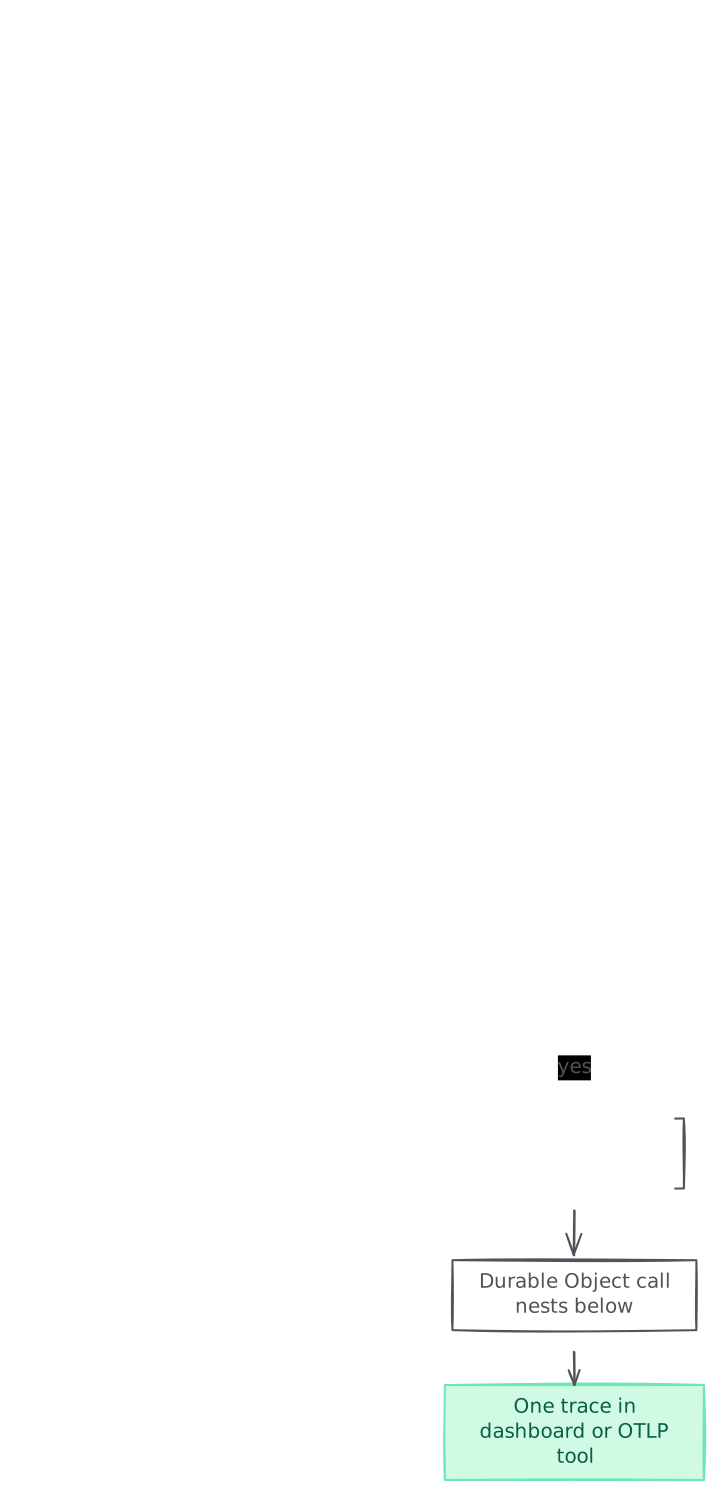
graph TB A[Request hits the gateway Worker] --> B[Root span for the fetch handler] B --> C[Service binding call to auth Worker] C --> D{Tracing on in the auth Worker?} D -->|no| E[Auth spans missing from the trace] D -->|yes| F[RPC spans nest under the caller] F --> G[Durable Object call nests below] G --> H[One trace in dashboard or OTLP tool] style E fill:#fee2e2,stroke:#fca5a5,color:#7f1d1d style H fill:#d1fae5,stroke:#6ee7b7,color:#065f46
Turning on tracing in every Worker in the chain
Tracing is set per Worker, so do this for each Worker a request can pass through.
- Open the Wrangler file of the first Worker (the one with the public route) and add a
tracesblock underobservability:
// wrangler.jsonc for gateway-worker
{
  "name": "gateway-worker",
  "observability": {
    "logs": { "enabled": true },
    "traces": {
      "enabled": true,
      "head_sampling_rate": 1
    }
  },
  "services": [
    { "binding": "AUTH", "service": "auth-worker" }
  ]
}- Add the same
tracesblock to every Worker behind a binding. The auth Worker in this example needs its own setting:
// wrangler.jsonc for auth-worker
{
  "name": "auth-worker",
  "observability": {
    "logs": { "enabled": true },
    "traces": { "enabled": true }
  }
}
The TOML form is the same thing:
[observability.traces]
enabled = true
head_sampling_rate = 1-
Don’t rely on
observability.enabled = truealone. That setting turns on logs only. Cloudflare plans to have it turn on tracing as well in future, behind a newer compatibility date. While tracing is in beta, the explicittraces.enabledkey is what records traces. -
Redeploy every Worker you changed:
npx wrangler deploy- Send a request through the chain, then open the trace for the first Worker in the Workers Observability dashboard. The root span is the gateway’s fetch handler. The auth Worker’s work should sit inside it as child spans. If the root span shows
Trace in Progress, give it a few moments to finish.
RPC across a service binding looks like this in code. The runtime traces each method call, and you don’t add anything:
// auth-worker/src/index.ts
import { WorkerEntrypoint } from "cloudflare:workers";

export class AuthService extends WorkerEntrypoint {
  async verify(token: string) {
    const session = await this.env.SESSIONS.get(token, "json");
    return session ?? null;
  }
}

// gateway-worker/src/index.ts
export default {
  async fetch(request: Request, env: Env) {
    const token = request.headers.get("authorization") ?? "";
    const user = await env.AUTH.verify(token); // traced as an RPC call
    if (!user) return new Response("Unauthorised", { status: 401 });
    return env.ORDERS.fetch(request); // traced as a binding fetch
  },
};
I built and led the Workers observability team at Cloudflare. When a cross-Worker trace looks broken, the first thing I check is whether a Worker in the middle of the chain was deployed without tracing turned on.
Reading the RPC spans that join one Worker to the next
Cloudflare emits three kinds of span for RPC between Workers, and between Workers and Durable Objects. Knowing which side made each span is how you tell caller latency apart from callee latency.
- RPC session: a span on the caller’s side that covers the whole RPC session. Calls that reuse the session appear under it.
- RPC invocation: a span on the callee’s side that covers the invocation inside the target Worker or Durable Object.
- RPC call: a span for one method call or property access, on either side.
The RPC call spans carry these attributes:
jsrpc.method: the method name or property path, such asverifyjsrpc.operation:callorgetPropertyjsrpc.target_kind: the type of RPC targetjsrpc.caller_span_id: on spans from the callee’s side, the ID of the matchingjsRpcCallspan on the caller’s side
The dashboard draws caller-side and callee-side spans in the colour of the Worker they run in, so the colour change marks where one Worker hands off to the next. When a binding call is slow, compare the caller’s RPC call span with the callee’s invocation span. If the callee’s handler is short but the caller waits a long time, the time is going somewhere between the two. If the callee’s handler is long, open its child spans: a D1 query, a KV read or an outbound fetch will usually account for it.
A few attributes on every span help when you’re grouping across Workers:
cloudflare.script_nameandfaas.namegive the Worker’s name.cloudflare.script_version.idgives the deployed version, which helps when one Worker in the chain was redeployed just before the trouble began.cloudflare.durable_object.idappears on Durable Object spans.- Root spans carry
cloudflare.outcome(ok,exception,exceededCpu,exceededMemory),cloudflare.cpu_time_msandcloudflare.wall_time_ms.
For filtering by Worker across both traces and logs, Cloudflare recommends $metadata.service. Attributes like service.name only appear on some spans.
Adding custom spans so the trace explains your own code
Automatic spans show I/O. They don’t show which part of your own logic ran. Custom spans fill that gap, and they nest under the automatic spans with no extra wiring. You can use the API in two ways: import tracing from cloudflare:workers (this works anywhere, including library code), or use ctx.tracing inside a handler.
import { tracing } from "cloudflare:workers";

export default {
  async fetch(request: Request, env: Env) {
    return tracing.enterSpan("checkout", async (span) => {
      span.setAttribute("url.path", new URL(request.url).pathname);

      // The RPC call to the auth Worker nests under "checkout"
      const user = await env.AUTH.verify(request.headers.get("authorization") ?? "");
      span.setAttribute("user.plan", user?.plan ?? "anonymous");

      return env.ORDERS.fetch(request);
    });
  },
};
Pick the method by the lifetime of the work:
enterSpan()ends the span when the callback returns or its promise settles. Use it for most code.startActiveSpan()keeps the span open after the callback returns, until you callspan.end(). Use it for streams.startSpan()creates a span that never becomes active, so nothing nests under it. You end it yourself.
tracing.getActiveSpan() lets you add attributes such as user.id to the current span, or to the root span, without passing the span object around. span.recordException(err) attaches an exception event. Any console.log inside a span is linked to that span, so your logs line up with the trace.
Two data limits apply. Span names are cut at 64 bytes, and each span holds roughly 64 KB of attribute and exception data. Once a span hits that limit, further attributes are dropped and cloudflare.warning.type is set to span_data_limit_exceeded.
Sending the joined trace to Honeycomb, Grafana Cloud, Axiom or Datadog
Workers traces follow OpenTelemetry, so the joined trace can go to any tool with an OTLP endpoint. Cloudflare lists endpoints for Honeycomb, Grafana Cloud, Axiom, Sentry, Datadog, New Relic, Splunk, SigNoz and others.
- In the Cloudflare dashboard, go to Observability > Destinations and select Add destination.
- Give it a name such as
honeycomb-traces, set the type to Traces, and enter the provider’s endpoint, for examplehttps://api.honeycomb.io/v1/traces. Add the auth headers your provider asks for. Cloudflare doesn’t accept the binary protobuf form of OTLP. - Point every Worker in the chain at the destination:
{
  "observability": {
    "traces": {
      "enabled": true,
      "destinations": ["honeycomb-traces"],
      "head_sampling_rate": 0.05,
      "persist": false
    }
  }
}- Redeploy. Events can take several minutes to reach the destination. Back in Destinations, the status reads Never run if nothing has been sent yet, and Error if the endpoint or headers are wrong.
persist defaults to true, which exports traces and also stores them in Cloudflare. Workers traces are kept for seven days. From 1 December 2026, stored traces count towards account-level ingestion and storage under Cloudflare Observability pricing. Set persist: false if your external tool is the only place you read traces.
Sampling a chain of Workers without losing the trace you need
The default head_sampling_rate is 1, which traces every request. The valid range is 0 to 1, and 0.05 traces five requests in every hundred. Sampling is head-based, so requests that aren’t traced carry no tracing overhead. You can set a separate rate for logs and for traces.
On busy Workers, lower the rate to control volume and cost. Keep in mind that a rare failure in a downstream Worker only shows up if the request that hit it was sampled. While you’re debugging a specific cross-Worker problem, raise the rate to 1 on the Workers involved, then lower it again afterwards. Inside your code, span.isTraced tells you whether the current request is being sampled, so you can skip building expensive attributes when it isn’t.
Tracing past the edge of Cloudflare
Automatic propagation covers Worker-to-Worker and Worker-to-Durable-Object calls. The Workers tracing docs still list one gap: when you export traces, trace IDs aren’t passed to services outside Cloudflare. A trace from your Worker won’t join a trace from an API running on another cloud. Cloudflare says it is working on propagation using the W3C Trace Context standard.
Cloudflare Traces, which went into open beta on 2 October 2026, works at the domain level. It traces security rules, transforms, cache, routing, Worker execution and the origin. It accepts and forwards W3C traceparent headers, so the trace can carry on into your origin’s tracing. You turn it on per domain in the dashboard, set a baseline sampling rate, and use Trace Rules to trace 100% of the traffic for one hostname, source IP or request header while the rest stays at the baseline rate.
To test locally, wrangler dev captures a trace for every local Worker invocation, including binding operations. Open /cdn-cgi/local/explorer on your local development server to see them.
Where cross-Worker traces still go wrong
- One Worker in the chain has tracing off. That Worker’s spans won’t appear under the caller. Check the Wrangler file of every bound Worker, then redeploy it.
- Only
observability.enabledis set. For now that turns on logs only. Addobservability.traces.enabled = true. - Spans that show 0 ms. Workers only update the clock when I/O happens, as a guard against Spectre attacks. CPU-only work can show as 0 ms even when it took longer. Check
cloudflare.cpu_time_mson the root span for the real CPU cost. span_not_endedwarnings. A span created withstartActiveSpanorstartSpanwas still open when the invocation ended. The runtime closes it for you and adds the warning. Callspan.end()in afinallyblock.- Grouping by
service.name. Some spans don’t have it. Group by$metadata.service. - Span and attribute names that change. Tracing is in beta, and Cloudflare may rename spans and attributes to match OpenTelemetry conventions. Saved queries and dashboards in your OTLP tool may need updating when that happens.
- A binding that loops back into the same Worker. A Worker chain can’t call itself or another Worker more than 16 times. Past that, the request fails with error 1019. A trace that repeats the same Worker over and over usually means a route or binding is pointing back at the Worker that made the call.
- No manual trace IDs yet. The custom spans API doesn’t expose
spanContext()yet, so you can’t read the trace ID and pass it on yourself, for example through a queue message.
Polylane on Cloudflare Workers in production
Polylane detects production issues and fixes them by opening pull requests. It connects to Cloudflare, so when a request starts failing somewhere in your chain of Workers, it works out why, and the fix arrives ready for your team’s normal review.
Running on Cloudflare? See how Polylane monitors Cloudflare in production.
Common questions.
Do I need an SDK to trace across Cloudflare service bindings?
No. Since 7 May 2026, Workers automatic tracing passes trace context across service binding and Durable Object calls. Set observability.traces.enabled to true in every Worker in the chain, then redeploy each one.
Why does my called Worker not show up in the caller's trace?
Usually the called Worker doesn't have tracing turned on, or hasn't been redeployed since you turned it on. Setting observability.enabled = true alone turns on logs only while tracing is in beta. Each Worker needs its own traces.enabled setting.
How do I tell caller latency from callee latency in a service binding call?
Compare the caller's RPC call span with the callee's RPC invocation span. Callee-side spans carry jsrpc.caller_span_id, which points to the matching caller span. If the callee's handler is short but the caller waits a long time, the time is being lost between the two Workers.
Can I send cross-Worker traces to Honeycomb, Grafana Cloud or Datadog?
Yes. Create a Traces destination under Observability > Destinations with the provider's OTLP endpoint and auth headers. Then list its name in observability.traces.destinations in each Worker's Wrangler config. Events can take several minutes to arrive.
Do Workers traces link to my backend running outside Cloudflare?
Not through Workers tracing alone. The docs say trace IDs aren't yet passed to services outside Cloudflare. Cloudflare Traces, in open beta since 2 October 2026, accepts and forwards W3C traceparent headers at the domain level, so the trace can continue into your origin.
How long are Workers traces kept and what do they cost?
Workers traces are kept for seven days. From 1 December 2026, stored traces count towards account-level ingestion and storage under Cloudflare Observability pricing. Lowering head_sampling_rate, or setting persist to false when you export, cuts the billable usage.
What sampling rate should I use across a chain of Workers?
The default is 1, which traces every request. On busy Workers a rate such as 0.05 traces five requests in every hundred. Raise it to 1 on the Workers involved while you debug a rare cross-Worker failure, because an unsampled request leaves no trace.
Sources (12)
- Automatic tracing across Durable Object and Worker subrequests · Cloudflare changelog
- Traces · Cloudflare Workers docs
- Spans and attributes · Cloudflare Workers docs
- Custom spans · Cloudflare Workers docs
- Known limitations · Cloudflare Workers tracing
- OpenTelemetry export · Cloudflare Observability docs
- OpenTelemetry export · Cloudflare Workers docs
- Local Explorer · Cloudflare Workers docs
- Introducing Cloudflare Traces · Cloudflare Blog
- Announcing Workers automatic tracing, now in open beta · Cloudflare Blog
- Polylane full content
- Polylane documentation
Boris Tane is the founder of Polylane. He previously founded Baselime, observability for the future of the cloud, which Cloudflare acquired. At Cloudflare he built and led the Workers observability team.
More in this series
- 1 How to Monitor a Django App on Render
- 2 How to Monitor a FastAPI App on Railway: Logs, Traces and Alerts
- 3 How to Monitor a Supabase App in Production
- 4 How to Debug Cloudflare Workers Errors: Logs, Traces and Error Codes
- 5 How to debug Vercel function timeouts
- 6 Vercel 504 Gateway Timeout on Serverless Functions: Causes and Fixes
- 7 Cloudflare Workers error 1101: causes and how to fix it
- 8 Cloudflare Hyperdrive connection errors: causes and fixes
- 9 How to Monitor a Convex App in Production
- 10 How to monitor Cloudflare Durable Objects in production
- 11 How to roll back a Cloudflare Workers deployment
- 12 How to trace requests across Cloudflare Workers and service bindings
- 13 How to Monitor Vercel Cron Jobs: Heartbeats, Logs and Alerts
- 14 How to reduce Vercel Function cold starts
- 15 How to Monitor a Next.js App on Render
- 16 How to debug Modal function timeouts
- 17 Modal container out of memory: find the cause and fix it
- 18 Fix Railway “Healthcheck failed!” on deploy
- 19 How to Search Railway Logs for Errors: Filters, CLI and HTTP Logs
Related
- Profiling Cloudflare Workers CPU and memory with flamegraphs Capture on-demand CPU and heap profiles of deployed Cloudflare Workers and Durable Objects, read the flamegraph, and avoid the limits that trip teams up.
- Workers Issues: route Cloudflare errors to coding agents Cloudflare's new Workers Issues groups exceptions and 5xx errors and sends them to Claude Code, Cursor, Devin or a webhook. Setup, automations and limits.
- How to Test Cloudflare Cron Triggers with Local Explorer Local Explorer now fires a Worker's scheduled() handler from your browser. Version needs, ad hoc crons, scheduled times, the API for scripts, and the gotchas.
- How to deploy Vite apps to Cloudflare with Void Void, announced by Cloudflare on 15 October 2026, deploys Vite apps to Workers in one command. Setup steps, secrets, migrations, CI and the gotchas.
- Fix Cloudflare “Error 500: internal server error” Why Cloudflare shows Error 500: internal server error, how to tell if your origin, a Worker or a Page Rule caused it, and the fix for each cause.