

Nobody reads pull request descriptions, so we made videos
Explore with AI
What happens when you get a pull request you did not prompt into existence? You still have to understand what it’s trying to improve, how it’s doing it, and if it follows the existing patterns of your codebase.
We recently faced a clear problem. Polylane is a pro-active agent, it watches production, investigates what it finds, and automatically opens pull requests with fixes. But engineers were having a very hard time groking exactly what problem Polylane is fixing, and how it’s doing it.
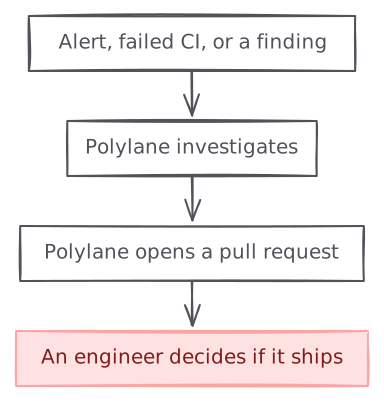
graph TB A["Alert, failed CI, or a finding"] --> B["Polylane investigates"] B --> C["Polylane opens a pull request"] C --> D["An engineer decides if it ships"] style D fill:#fee2e2,stroke:#fca5a5,color:#7f1d1d
This is what self-improving software looks like. A growing share of a codebase is written by an agent triggered by things such as an alert, a failed CI run, or just an agent noticing something is wrong in prod. Nobody triggers these changes, but today, they still needs a person to decide whether it ships.
The obvious anwer is “read the agent thread”, but nobody has time for that. We are experimenting with novel ways to explain a pull request to an engineer. This post is about the first one: a narrated video.
Context is always the problem
A pull request from a teammate arrives with context, there was a ticket, you discusssed it at standup or it was mentionned in Slack. You know who wrote it and why, and if unsure you can ask them.
A pull request from a pro-active agent is different. It arrives with as much context as the agent is willing to give you. It is the conclusion of an investigation you never saw, from the triggering alert to the logs read, the hypotheses investigated, etc. You essentially have to rebuild that story from a diff and wall of text the agent gives you.
So you’re not really assessing if the code is correct yet, the main question is “why does this change exist, and should I believe it?”.
The wall of text
Our first answer was to write more. Every autofix pull request carried a description with the evidence, a diagram, why this fix, what is out of scope, the full causal chain and the files changed. Here is one from our own repository (I don’t expect you to read it, it’s for illustration purposes). The actual code diff is 58 lines, but the description is 565 words.
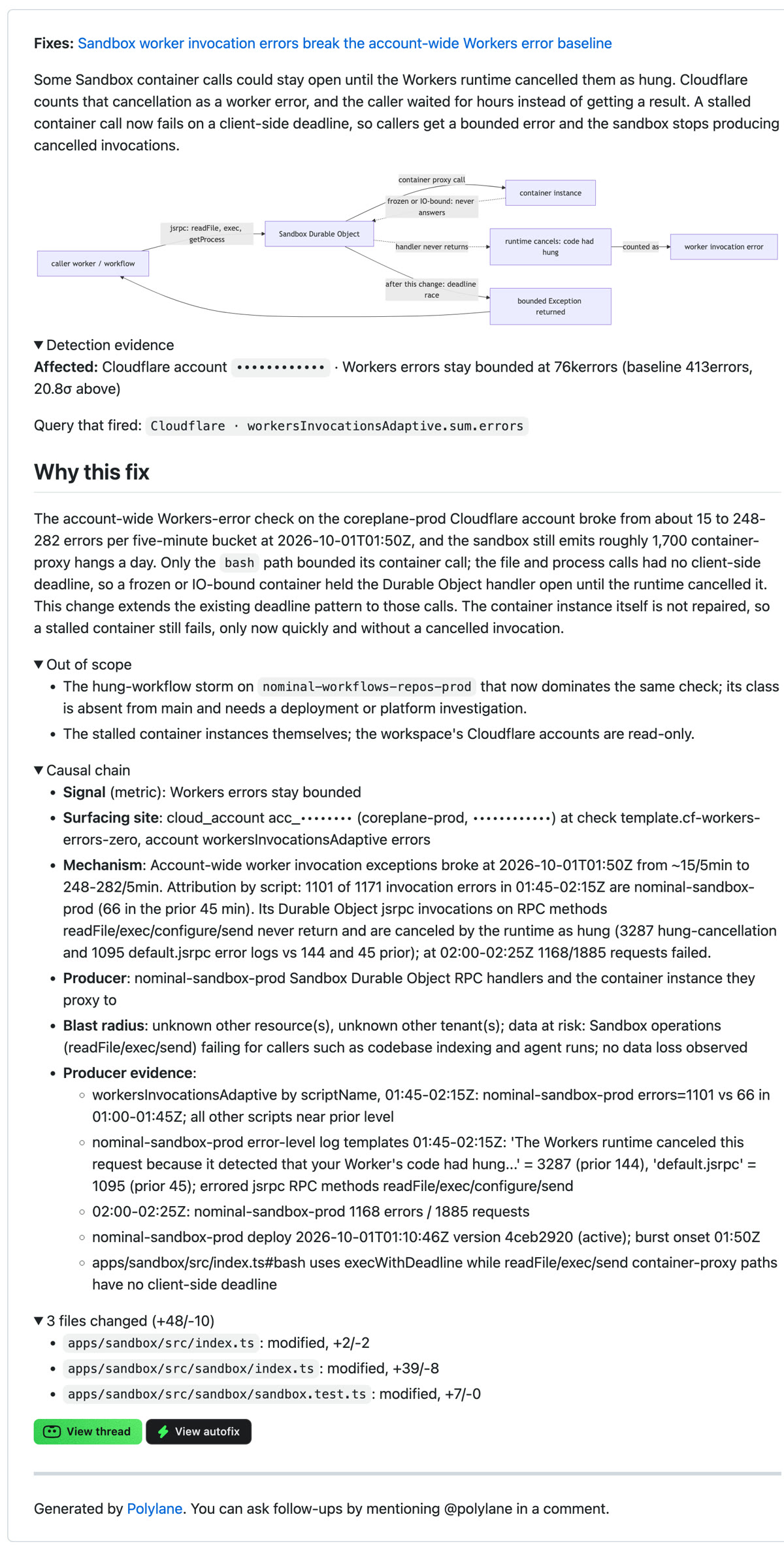
The main issue is how difficult it is to build a mental model of the change from this wall of text. It might actually be easier to just read the diff. A longer pull request description moves the work from the agent to the reviewer.
Video walkthrough
Now, every autofix pull request now gets a narrated video walkthrough of two to three minutes, at the top of its description. We find it’s much easier to build a mental model of a system or an issue from visuals. For the same pull request above, here’s the generated walkthrough.
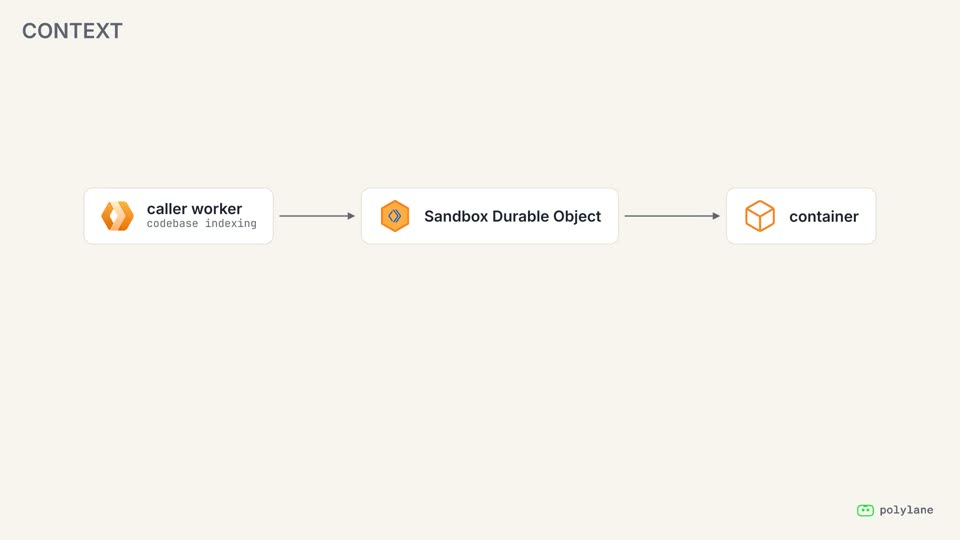
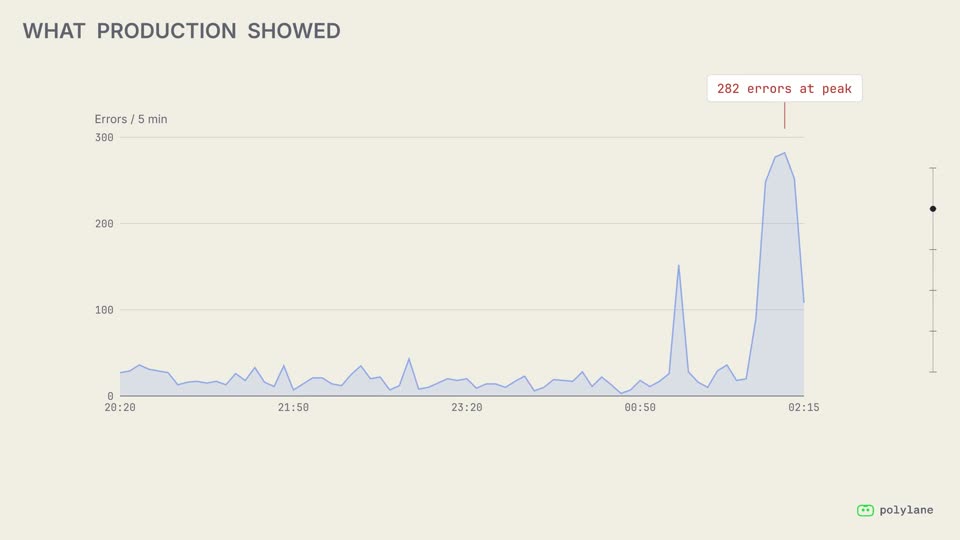
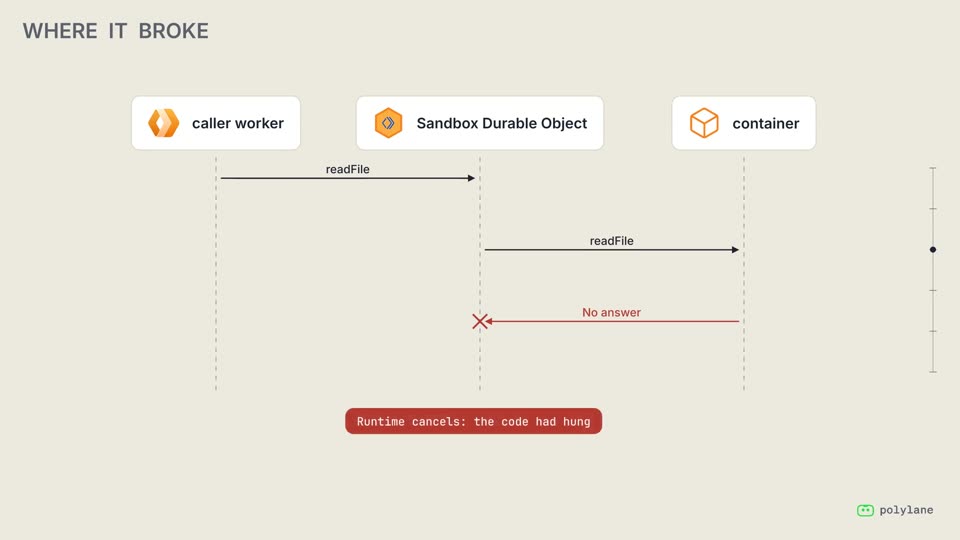
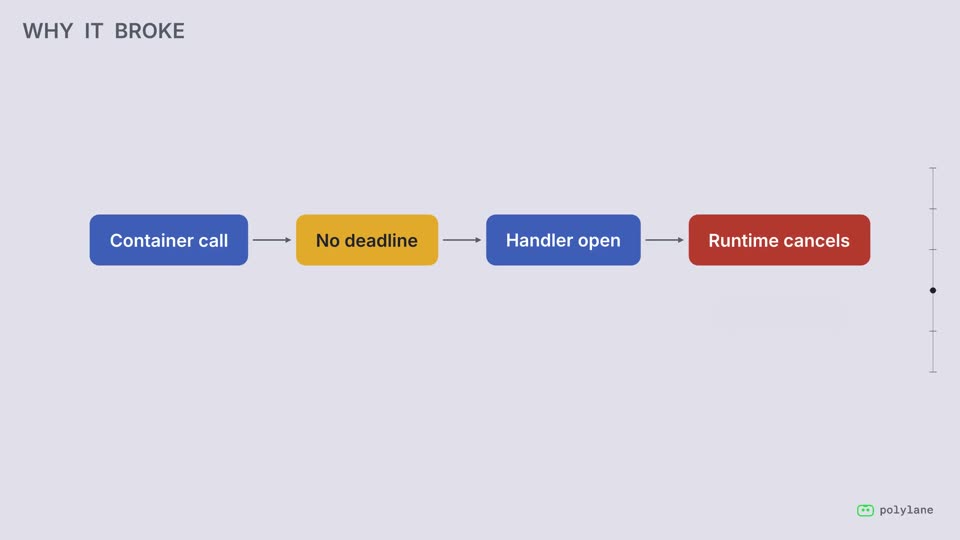
The video tells the story as you need it to review a pull request: what we fixed and why, what production showed, where the code broke, why it broke, and what the change does. Every number on screen comes from the issue, and every line of code comes from the diff. The video has multiple chapters, and those let you jump through sections easily.
Did it help?
We compared the merge rate of autofix pull requests submitted by Polylane with and without a walkthrough, in the same workspaces over the same weeks.
Merge rate
Pull requests with video walkthroughs had a 85% merge rate, when pull requests without a video walkthough only had 74%. In other words, when reviewers can clearly see why a change exists and what it does, they are more likely to ship it.
How we built this
Every video is made by an agent in a sandbox. It reads the incident and the diff, writes the narration, writes the animation using the Manim Python library, checks its own work and publishes.
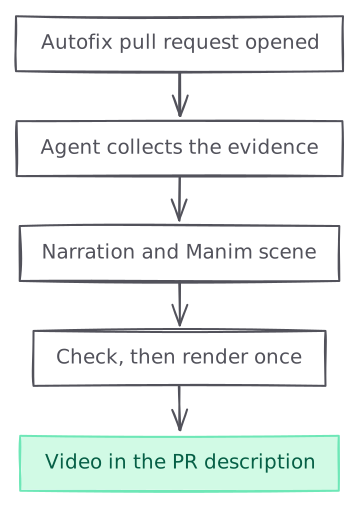
graph TB A["Autofix pull request opened"] --> B["Agent collects the evidence"] B --> C["Narration and Manim scene"] C --> D["Check, then render once"] D --> E["Video in the PR description"] style E fill:#d1fae5,stroke:#6ee7b7,color:#065f46
When Polylane opens an autofix pull request, we trigger a dedicated agent thread for the video. The first message holds the pull request description, the causal chain from the investigation, and the incident it fixes. It also includes relevant metrics, logs and traces coming from the investigation.
Storyboarding
The agent writes the narration before it writes any animation, because the animation is timed to the speech. It splits the story into beats: one idea and one visual change each, in plain technical English. A narrate tool sends every beat to Google’s Gemini text-to-speech model and saves one clip per beat in the sandbox. Each clip is sped up by 25% and measured, and the tool returns the durations, so the agent can size every animation before the first render.
The speech model returns audio but no word timestamps, and a reveal needs to land on the word that names it. So each clip goes through speech recognition, and we match the recognised words to the script.
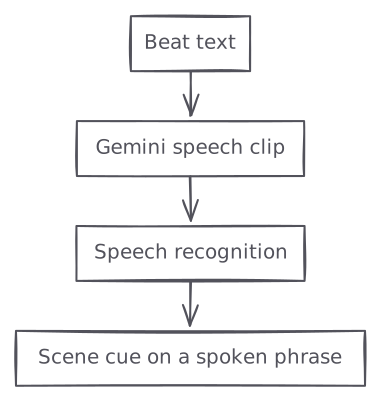
graph TB A["Beat text"] --> B["Gemini speech clip"] B --> C["Speech recognition"] C --> D["Scene cue on a spoken phrase"]
Animation with Manim
Manim is the community fork of the animation engine behind the 3Blue1Brown videos. You describe a scene in Python, and it draws every frame. Our agent writes one scene file per video.
Inside a beat, a cue holds the animation until the narrator says the exact words:
with self.beat("b3") as tr:
    self.chapter("Where it broke", "One request, three components")
    self.reveal(arch, run_time=min(2.4, self.until(tr, "container") - 0.1))
    self.at_phrase(tr, "never answers")
    self.play(arch.nodes["container"].card.animate.set_stroke(RED, width=3))
On top of Manim, we wrote a small library for the needs of pull request walkthroughs:
- architecture diagrams with real logos for cloud components
- code cards with highlighted diffs
- bar charts, lines charts, etc.
Those are the pieces the agent picks from, which gives consistency across videos. Every pull request walkthrough tells the story of the pull request in the same order, from the widest view down to a single line. One critical design requirement for us is consistency. We want engineers to know what to expect everytime they click on a pull request walkthrough.
We need to keep experimenting
This is just the first experiment, as agents produce and operate more of our software, it’s necessary to iterate on how we present all this information to engineers who are ultimately responsible for the application once they ship.